
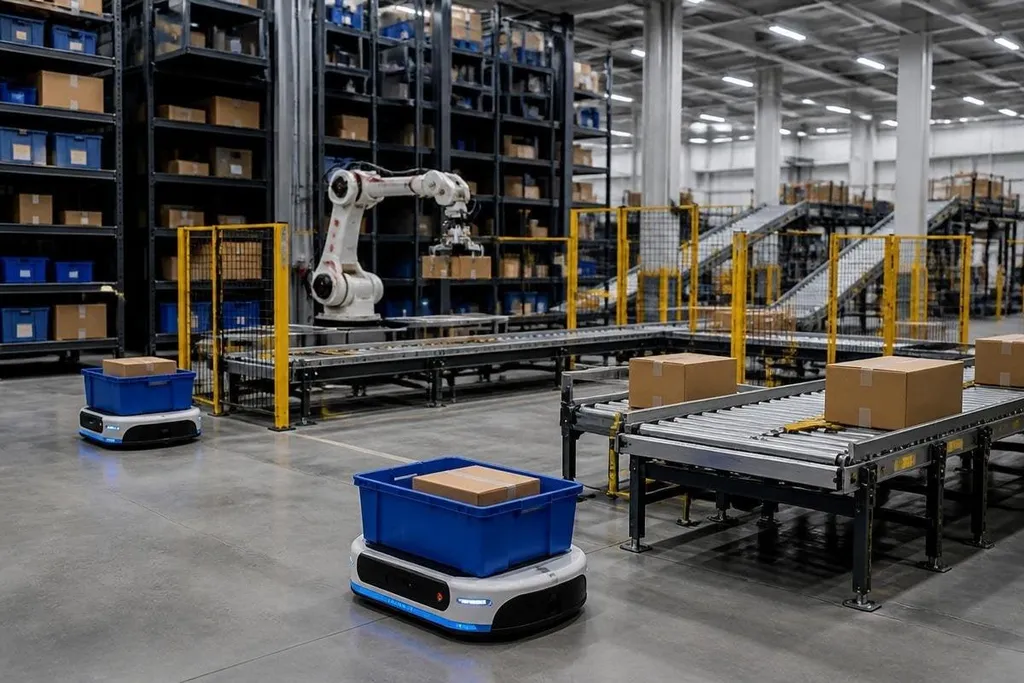
An online order can pass through software, storage machines, mobile robots, conveyor lines, and a packing station before it reaches a carrier.
The hard part is making those pieces work as one system while keeping people safe and orders correct. This guide explains the main technology behind that movement, what each part does, and where the limits appear.
Quick read
- A warehouse management system decides what should happen to each order.
- Conveyors, mobile robots, storage systems, and robotic arms handle different parts of the trip.
- The right design depends on order volume, product size, building layout, and the work people still need to do.
The software starts the work
The warehouse management system, or WMS, stores the order, stock, location, and shipping details. It decides which items belong in the order and sends work to the machines or people responsible for each step.
A warehouse control system, or WCS, turns those instructions into machine actions. It can tell a conveyor to send a tote to a station, ask an autonomous mobile robot to collect a shelf, or pause a route when another machine blocks the path.
That split matters. The WMS handles the business task, while the WCS handles equipment in the building. A site can change one layer without replacing the other, though the two systems still need clean data links.
Storage is more than a shelf
Automated storage and retrieval systems place bins, cartons, or pallets into fixed storage locations. A crane, shuttle, or lift moves through the storage structure and brings the required item to an output point.
Some centers use mobile robots instead. The robot carries a shelf or rack to a worker, who picks the item and returns the shelf to the floor. This design cuts walking for the worker, but it needs clear routes, charging space, and rules for traffic around people.
The storage method follows the product. Small items suit bins and shelves. Heavy loads need pallet equipment. Products with unusual shapes may still need manual storage because a gripper or slot cannot hold them safely.
Conveyors, sorters, and robots share the route
Conveyors move totes and cartons along fixed paths. Sensors read a barcode or other identifier, then controls send the container toward storage, picking, packing, or shipping.
Sortation equipment changes the container's path at a junction. A sliding shoe sorter, pop-up wheel, or cross-belt system can send parcels to different packing lanes or carrier destinations. The choice depends on parcel size, weight, speed, and the number of destinations.
Robotic arms handle tasks such as picking, placing, palletizing, and depalletizing. A camera can locate an item, while the end effector, the tool at the end of the arm, holds or moves it. Grippers work well on some shapes and surfaces, while suction tools need a usable surface and a reliable seal.
A fulfillment system can move boxes smoothly and still fail when lighting changes or a person enters its path. Robot24 can help place the named robot, task, and test result beside each claim. That evidence leads to the next part of the system: vision and safety.
Vision and safety decide what happens next
Barcode readers give the control system an item identity. Cameras can check position, shape, and whether an item sits in the wrong place. Weight scales can catch a missing item or a carton with the wrong contents before it leaves the building.
Safety equipment includes guarded areas, light curtains, emergency stops, and scanners that detect people near moving machines. The control system can slow or stop equipment when a person enters a protected zone.
These tools don't remove the need for people. Workers still handle damaged cartons, items the gripper can't pick, software faults, replenishment, and tasks that change from one order to the next.
Check the system before buying
Use this short decision guide before comparing equipment:
- Map the order: record item sizes, weights, packaging, and how often each item is ordered.
- Measure the building: check floor space, ceiling height, columns, fire routes, docks, and power access.
- Set the handoff: decide where people load, pick, inspect, pack, and fix exceptions.
- Test the data path: confirm that the WMS, WCS, scanners, robots, and shipping software can exchange status information.
- Plan the failure case: define what happens when a robot loses charge, a barcode cannot be read, or a conveyor stops.
I'd start with the exception process, because a fast normal order still causes delays when the system has no clear response to a damaged item.
The next design question is practical: which tasks repeat often enough to automate, and which tasks need a person because the product or order changes too much?